Visuals
HUNGER ESP and Radar: Players, Hostiles, and Range
Nov 19, 2026 · Updated Nov 24, 2026 · 4 min read
How to keep HUNGER ESP and radar readable on PC: player boxes, enemy tracking, item markers, and a distance cap that does not bury the fight.
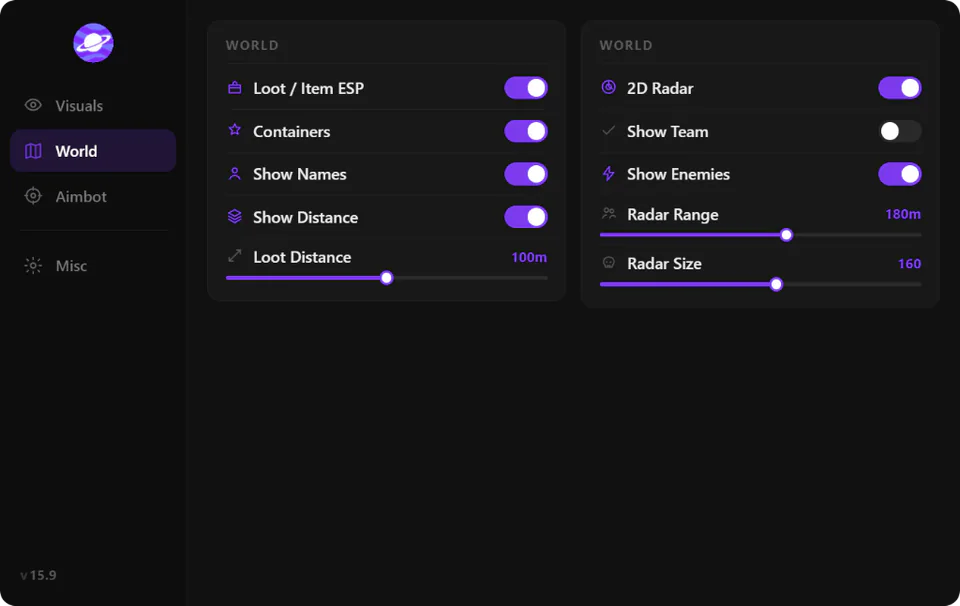
ESP is information. It does not play the character for you. In HUNGER the camera is already busy: ranged shots, melee, other survivors, and whatever the expedition is throwing at you. An overlay that paints everything is worse than no overlay.
What Complete lists
Player and NPC ESP can show identification, nicknames, distance, health, shield, held item, kit, 2D boxes, corner boxes, skeleton, head indicators, direction, and snaplines, with a maximum distance. Enemy tracking, NPC enemy tracking, enemy loot, and an enemy radar sit in their own group. Item ESP covers weapons, consumables, armor, valuables, keys, and resources. Object ESP covers containers, locked containers, weapon pickups, supply caches, resource nodes, valuable pickups, interactive objects, and defeated-enemy loot. The 2D radar adds rotation, labels, and a size you can change.
Confirm those groups on the Complete page and again on checkout. If a toggle is missing from the live list, it is not part of the product.
Range and color
Cap ESP distance in dense interiors. A long range that works on open ground will stack labels until you cannot see a doorway. Use the enemy radar when you want a calmer read of hostiles, and turn skeleton off if the frame rate dips.
Colors matter at night. A bright box on a dark field is readable until it is the only thing you see. Save a quieter palette for night expeditions and a stronger one for pale outdoor ground. That belongs in the config presets guide.
Aim settings live in a different menu. If the overlay is readable and the pull is not, that is an aimbot settings problem, not a reason to add more boxes.
Questions about this guide
- Does ESP move the crosshair?
- No. ESP and radar are information overlays. Aimbot is a separate module group on the same Complete key.
- What item types are listed?
- Weapons, consumables, armor, valuable items, keys, and resources, plus containers and other objects on the merchant object list. Confirm that list on checkout.
Keep reading

Utilities
Cloud DMA Software: The Single-PC Layer, Explained
What Cloud DMA software is on this site: a single-PC Hyper-V layer for HUNGER, not a second tower, with required extras sold separately.
Nov 23, 2026 4 min read
Read Cloud DMA guide
Buyer's Guide
HUNGER Cheat Buying Checklist: Modules, Status, and Delivery
A practical checklist for comparing HUNGER cheat listings: verify the module list, live status, portal delivery, and any separately required utilities.
Nov 22, 2026 4 min read
Read buyer guide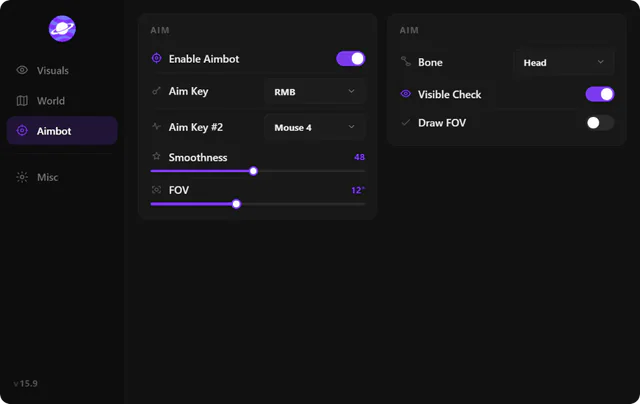
Settings
HUNGER Aimbot Settings: FOV, Smoothing, and Bones
How to tune HUNGER aimbot settings on PC: FOV, smoothing, bone selection, visibility checks, and a distance cap before a hard snap.
Nov 21, 2026 4 min read
Read settings guide